Skip to content
Cart

Collection: Surveillance Camera

Compare (0/5)

94 products

TP-Link

TP-Link Omada T5S4-2T 5MP Turret PoE Security Camera System 2TB HDD 4-Cameras

Regular price $1,133.00
Sale price Regular price

TP-Link

TP-Link Omada B5S4-2T 5MP Bullet PoE Security Camera System 2TB HDD 4-Cameras

Regular price $1,133.00
Sale price Regular price

TP-Link

TP-Link Omada B8S4-2T 8MP Bullet PoE Security Camera System 2TB HDD 4-Cameras

Regular price $1,339.00
Sale price Regular price

Ubiquiti

Ubiquiti Network Video Recorder G2 1U UniFi Protect NVR Built-In AI Event

Regular price $1,420.00
Sale price Regular price

Ubiquiti

Ubiquiti SuperLink Gateway Low-latency Wireless PoE USB-C

Regular price $279.00
Sale price Regular price

Ubiquiti

Ubiquiti UniFi Protect 4K 3x Optical Zoom Long-range IR Camera

Regular price $1,045.00
Sale price Regular price

Ubiquiti

Ubiquiti G6 Pro Turret Black All-Weather Tamper-Resistant 4K PoE+ Camera AI

Regular price $1,001.00
Sale price Regular price

TP-Link

TP-Link Omada 12MP Bullet PoE Security Camera 4K+ Full-Colour Night Vision

Regular price $379.00
Sale price Regular price

Ubiquiti

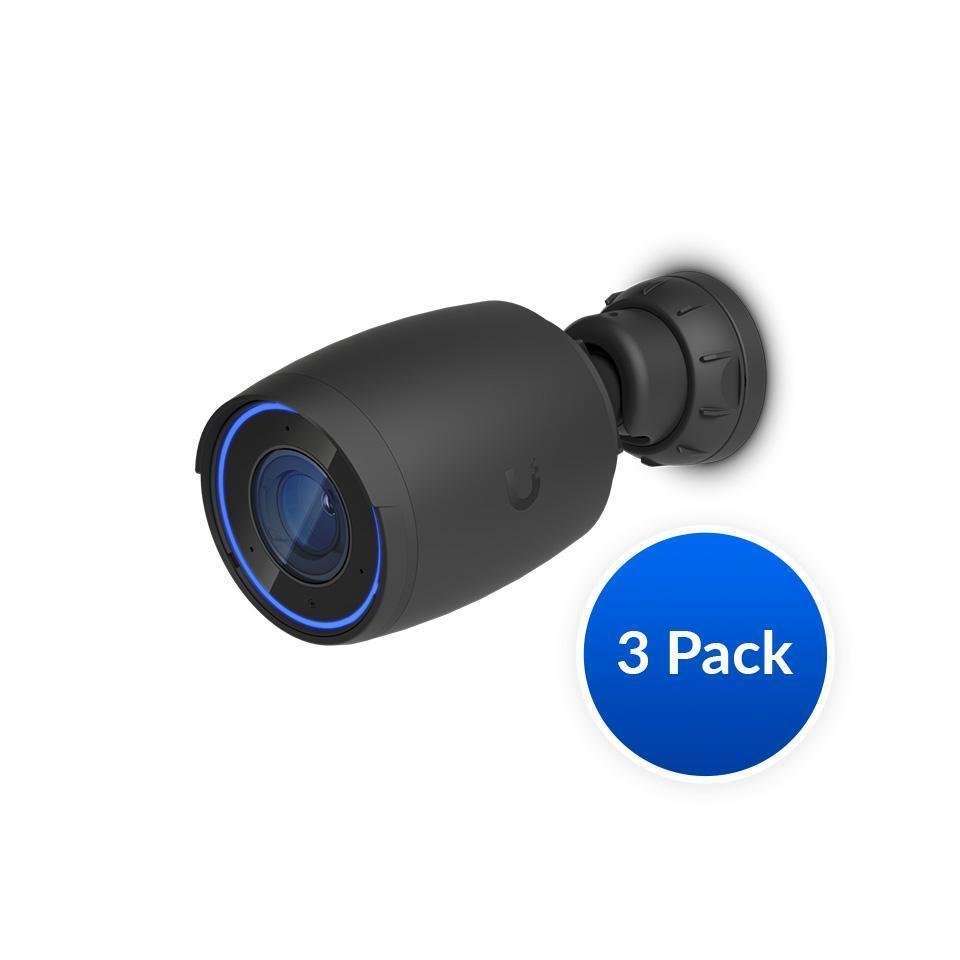
Ubiquiti AI Professional UniFi Protect Indoor/Outdoor 4K PoE Camera 3Pack Black

Regular price $1,745.00
Sale price Regular price

TP-Link

TP-Link Omada 8MP Turret PoE Security Camera

Regular price $189.00
Sale price Regular price

Ubiquiti

Ubiquiti White Battery-Powered SuperLink Motion Sensor

Regular price $100.00
Sale price Regular price

Ubiquiti

Ubiquiti Environmental Sensor Battery-Powered Water Leak Temp Humidity Light

Regular price $101.00
Sale price Regular price

TP-Link

TP-Link VIGI 5MP C450 4mm Full-Colour Turret Network Camera Two-Way Audio

Regular price $129.00
Sale price Regular price

Ubiquiti

Ubiquiti Compact SuperLink Relay I/O Interfaces

Regular price $90.00
Sale price Regular price

TP-Link

TP-Link Omada 5MP Bullet PoE Security Camera

Regular price $139.00
Sale price Regular price

TP-Link

TP-Link Omada 5MP Turret PoE Security Camera

Regular price $139.00
Sale price Regular price

TP-Link

TP-Link Omada 8MP Bullet PoE Security Camera

Regular price $189.00
Sale price Regular price

Ubiquiti

Ubiquiti G6 Instant White 4K Plug-and-play WiFi Camera 8MP Sensor Multi-TOPS AI

Regular price $369.37
Sale price Regular price

Ubiquiti

Ubiquiti G6 White 180° 16MP Dual Sensor PoE+ Camera Multi-TOPS AI Engine

Regular price $626.00
Sale price Regular price

Ubiquiti

Ubiquiti UniFi Protect AI DSLR 4K PoE Indoor/Outdoor Camera Weatherproof 2-Way Audio

Regular price $5,557.00
Sale price Regular price

Which surveillance camera do you actually need?

Most PC builders approach a surveillance camera like a webcam with a weatherproof shell, and that's where the budget goes sideways. The real differences between tiers sit in the sensor, the lens and the video encoder, not the headline megapixel number. Entry-level cameras (think TP-Link Tapo or Reolink's basic lines) use small 1/3 inch class sensors with 2MP to 4MP resolution. They look fine in daylight, but at night the tiny sensor gathers little light, so the image processor cranks gain and you get smeared, noisy footage with faces turning to mush.

The sweet spot is usually a 4MP to 5MP camera with a larger sensor (around 1/2.8 inch), a faster lens aperture and proper wide dynamic range. WDR matters more than extra pixels when a camera faces a bright driveway and a dark porch at once. Colour night vision using a faster lens and a warm white spotlight is also a genuine step up from standard infrared, which gives you monochrome images with limited detail. Series like TP-Link VIGI, Reolink's PoE range and Hikvision or Dahua's ColorVu and Starlight lines sit here.

The enthusiast tier covers 8MP (4K) cameras, larger 1/1.8 inch sensors, varifocal motorised lenses and on-camera AI for people and vehicle detection. Ubiquiti UniFi Protect and Axis live up here. Diminishing returns kick in fast. A 4K camera watching a 6 metre driveway adds little over 4MP, but it quadruples neither your storage nor your bandwidth, so be honest about the actual distance to your target. Use the extra resolution where you need to read a number plate or crop into a wide yard.

Upgrading and technical nuances

The first fork is Wi-Fi versus PoE. Wi-Fi cameras share airtime with everything else in your house, and several 4MP streams will make a congested 2.4GHz band stutter. Power over Ethernet carries data and power down one cable, and it's the sensible choice for anything permanent. Check whether the camera uses 802.3af or 802.3at, and whether your Networking gear has a big enough total PoE budget. An 8 port switch advertising 60W won't run eight cameras that each pull 12W with IR on. TP-Link PoE switches paired with VIGI or Omada gear make a tidy, cheap-to-manage setup.

Codec is the other big one. H.265 and the vendor "smart" variants cut bitrate by roughly 30 to 50 percent against H.264 at similar quality. That matters for storage, but check your viewing device can decode it smoothly. A 4MP stream at 4 Mbps writes around 43GB per day, and an 8Mbps 4K stream sits near 86GB per day. Multiply by camera count and retention days before picking a recorder.

For storage, surveillance-rated hard drives such as WD Purple and Seagate SkyHawk are tuned for constant sequential writes across many streams, with firmware that tolerates continuous operation. Regular desktop drives can struggle with that duty cycle. Solid State Drives (SSD) are great for the OS and database on a DIY recorder, but pushing 24/7 writes through consumer QLC drives will burn through endurance.

If you're running Frigate, Blue Iris or Synology Surveillance Station on a home-built box, the load profile is different from gaming. Decoding many streams leans on hardware video decode, so a recent Intel iGPU with Quick Sync on a modern CPUs & Processors pick often beats throwing a big Graphics Cards / GPU at it. Add a discrete card only if you want heavy AI object detection. A small Computers mini PC can also handle the job at low idle power.

Practical things to check before buying

Start with the cable run. Use genuine solid copper Cat5e or Cat6 for PoE. Copper-clad aluminium (CCA) cable is a classic trap: higher resistance means voltage drop on long runs and brittle terminations. The 100 metre Ethernet limit still applies, and you'll want outdoor-rated, UV-resistant cable plus weatherproof glands. Browse Cables & Connectors for patch leads and couplers.

Check the ingress rating. IP66 or IP67 is what you want outdoors, and the Australian sun is brutal on cheap plastic housings. Look for metal bodies or UV-stabilised polycarbonate, and mount under eaves where you can. Spiders love IR illuminators, and the glow draws insects that trigger motion alerts and cause white-out at night. Moving the camera slightly off the wall or using a spotlight-based colour camera helps.

If you're building a recorder, think about airflow and noise. A box running 24/7 in a cupboard will cook drives without proper airflow, so choose a Computer Cases model with front intake and room for multiple 3.5 inch bays, and add quality Fans, Heatsinks & Cooling with fluid dynamic bearings for long life. A solid Power Supplies unit with good efficiency at low load (Seasonic Focus or Corsair RM series) saves money, since this box never idles off. Pair it with a UPS so a blackout doesn't corrupt the recording database. See also the ATX Power Supply range for compatible options.

For viewing, a decent Monitors pick with a good VA or IPS panel makes multi-camera grids far easier to read than a tiny phone screen. Finally, check local surveillance laws. Rules on recording audio and capturing neighbouring property differ between states, so point cameras at your own boundary and avoid audio unless you're certain.

Brands and local warranty

For plug-and-play home use, TP-Link (Tapo and VIGI), Reolink, Eufy and Ubiquiti are the names you'll see most. Hikvision, Dahua and Axis dominate the professional end, though some government and corporate buyers avoid certain brands for policy reasons, so check any requirements that apply to you. Synology also makes capable NVR software and hardware if you want a tidy appliance.

Local warranty matters more than people expect. Cameras sit outside in heat, rain and storms, so failures happen. Stock bought through proper Australian channels is covered by the Australian Consumer Law, and the brand's local support team can actually swap a unit. Grey imports might save a few dollars, but you can end up shipping a camera overseas or stuck with the wrong firmware region. Keep your invoice and record serial numbers when you install.

Frequently asked questions

How much storage do I need for my cameras?

Work from bitrate. A 4MP H.265 stream at around 4 Mbps writes roughly 43GB a day, so four cameras for 14 days of continuous recording needs about 2.4TB. Motion-only recording cuts that sharply, but leave headroom because bitrates spike at night.

Is 4K worth it over 4MP?

Only if you need to identify detail at distance, such as plates or faces across a large yard. For doorways and short driveways, a good 4MP camera with strong low-light performance beats a cheap 4K sensor.

Can I use a normal hard drive in an NVR?

You can, and many people do, but surveillance drives like WD Purple or SkyHawk are built for constant writes and multiple streams. Over a long retention period, the right drive is cheap insurance.

Do I need PoE?

For permanent installs, yes, it's far more reliable than Wi-Fi. You get one cable for power and data, and the switch lets you reboot a camera remotely.

Will a cheap Wi-Fi camera work for outdoors?

Sometimes, but signal drop, weak night vision and cloud subscription costs often make it a false economy compared with a wired setup.