Skip to content
Cart

Collection: PoE Security Cameras

Shop poe security cameras in stock now at TechLoop, with fast Australia-wide delivery.

Compare (0/5)

48 products

TP-Link

TP-Link Omada T5S4-2T 5MP Turret PoE Security Camera System 2TB HDD 4-Cameras

Regular price $1,133.00
Sale price Regular price

TP-Link

TP-Link Omada B5S4-2T 5MP Bullet PoE Security Camera System 2TB HDD 4-Cameras

Regular price $1,133.00
Sale price Regular price

TP-Link

TP-Link Omada B8S4-2T 8MP Bullet PoE Security Camera System 2TB HDD 4-Cameras

Regular price $1,339.00
Sale price Regular price

Ubiquiti

Ubiquiti SuperLink Gateway Low-latency Wireless PoE USB-C

Regular price
Sale price $267.30 Regular price $279.18

Ubiquiti

Ubiquiti G6 Pro Turret Black All-Weather Tamper-Resistant 4K PoE+ Camera AI

Regular price
Sale price $974.85 Regular price $1,001.48

TP-Link

TP-Link Omada 12MP Bullet PoE Security Camera 4K+ Full-Colour Night Vision

Regular price
Sale price $361.41 Regular price $379.00

Ubiquiti

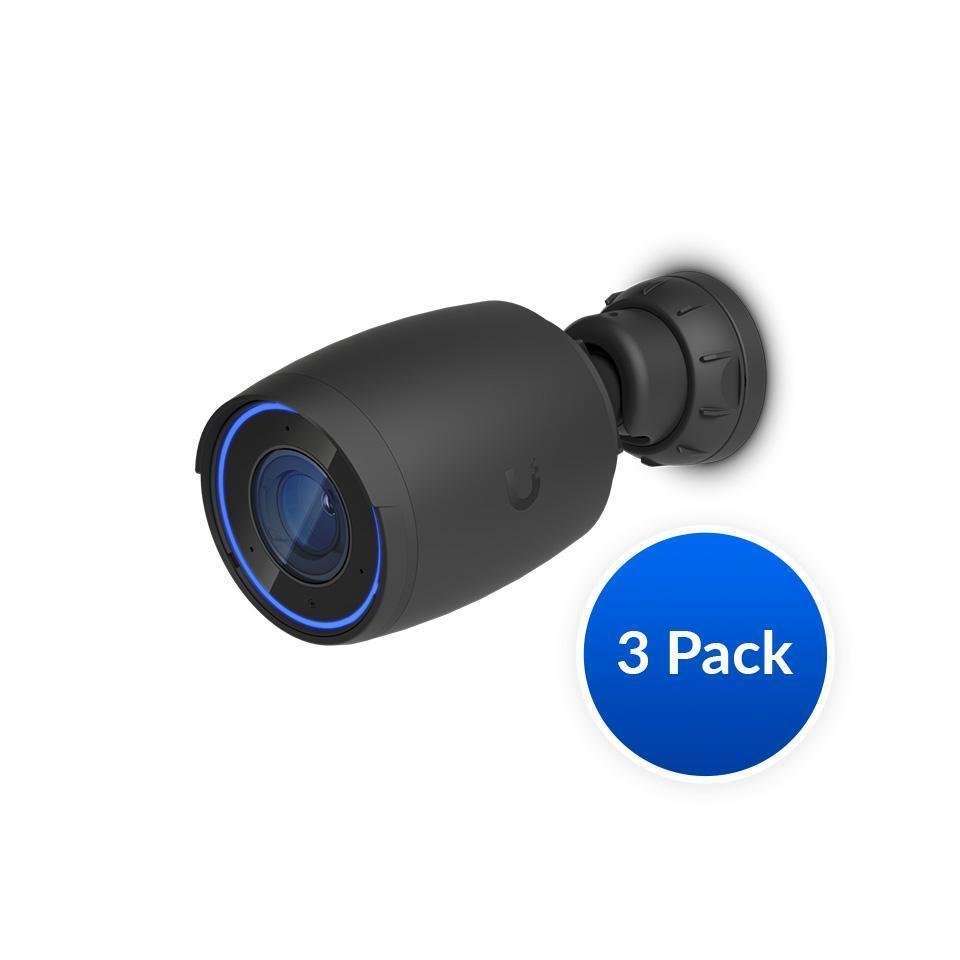
Ubiquiti AI Professional UniFi Protect Indoor/Outdoor 4K PoE Camera 3Pack Black

Regular price $1,745.00
Sale price Regular price

TP-Link

TP-Link Omada 8MP Turret PoE Security Camera

Regular price
Sale price $176.42 Regular price $189.00

TP-Link

TP-Link Omada 5MP Bullet PoE Security Camera

Regular price
Sale price $138.99 Regular price $139.00

TP-Link

TP-Link Omada 5MP Turret PoE Security Camera

Regular price
Sale price $127.57 Regular price $139.00

TP-Link

TP-Link Omada 8MP Bullet PoE Security Camera

Regular price
Sale price $176.42 Regular price $189.00

Ubiquiti

Ubiquiti G6 White 180° 16MP Dual Sensor PoE+ Camera Multi-TOPS AI Engine

Regular price
Sale price $615.88 Regular price $626.08

Ubiquiti

Ubiquiti UniFi Protect AI DSLR 4K PoE Indoor/Outdoor Camera Weatherproof 2-Way Audio

Regular price
Sale price $5,314.51 Regular price $5,557.46

Ubiquiti

Ubiquiti UniFi G5 Turret Ultra White 2K HD PoE IP66 Weatherproof Camera

Regular price
Sale price $171.87 Regular price $179.39

Ubiquiti

Ubiquiti G6 Pro Dome Black All-Weather Vandal-Proof 4K PoE+ 2.36x Zoom IR

Regular price
Sale price $869.20 Regular price $1,119.00

Milesight

Milesight 2MP Weather-Proof Mini Bullet Camera 50m IR PoE IP67 IK10

Regular price $337.56
Sale price Regular price

Ubiquiti

Ubiquiti G5 Dome Ultra Black 2K HD PoE Tamper-resistant Night Vision Camera

Regular price
Sale price $179.82 Regular price $189.00

Ubiquiti

Ubiquiti UniFi G5 Dome Ultra White 2K HD PoE Night Vision Camera

Regular price
Sale price $179.82 Regular price $189.00

Ubiquiti

Ubiquiti UniFi G5 Turret Ultra Black Tamper-Resistant IK04 IP66 2K HD PoE

Regular price
Sale price $171.87 Regular price $179.39

Ubiquiti

Ubiquiti UniFi Smart Flood Light 550 Lumens IPX5 PoE

Regular price
Sale price $173.01 Regular price $219.00

Which PoE security cameras do you actually need?

Most PC builders approach PoE security cameras like a GPU purchase, chasing the biggest resolution number on the box. The spec that matters more is the sensor, not the megapixel count. Entry-level cameras (think Reolink RLC-510A or TP-Link VIGI C-series) use small 1/2.8 inch sensors with 4MP to 5MP resolution. They look great in daylight, but at night the sensor gathers little light, so the camera cranks gain and shutter time. You end up with noise, smeared motion and a licence plate that's unreadable at 10 metres.

The sweet spot is a 4MP to 8MP camera with a larger sensor, a faster lens (f/1.6 or better) and a decent onboard processor for smart detection. Hikvision ColorVu and AcuSense, Dahua WizSense and UniFi Protect G5 and G6 lines sit here. They keep colour footage in low light, and the onboard person and vehicle detection means your NVR isn't doing all the work. Enthusiast tier adds varifocal motorised lenses, 1/1.8 inch sensors, proper WDR and often 802.3bt power. The gains are real but narrow: you're paying for a better lens and sensor, not more pixels. Past 8MP, bitrate and storage climb quickly while the improvement at typical driveway distances is tiny.

Upgrading and technical nuances

PoE comes in flavours. 802.3af delivers up to 15.4W at the switch, 802.3at (PoE+) up to 30W, and 802.3bt up to 60W or 90W. Fixed bullet cameras usually sit under 10W, so af is fine. PTZ cameras with heaters and IR blasters can pull 25W or more, which needs at or bt. Passive PoE (24V, or non-standard) is a trap: plug a passive injector's output into a standards-based camera or the reverse and you can fry something.

Codec matters for storage. H.265 roughly halves bitrate compared with H.264 at similar quality, but check that your recording software handles it. Some "H.265+" or "smart codec" modes are proprietary and can trip up third party NVR software. ONVIF Profile S and T support is your insurance policy if you're mixing brands.

If you're building your own recorder with Blue Iris, Frigate or UniFi Protect, the CPU matters differently to what you'd expect. Decoding many streams leans on hardware video decode, so a recent Intel Core Ultra chip with its integrated graphics handles a dozen 4MP streams while sipping power. Browse CPUs & Processors for that route. Frigate's AI detection can also use a dedicated accelerator or a Graphics Card / GPU, but the iGPU path is usually more efficient for 24/7 duty. If you'd rather not build one, a small prebuilt from Computers works fine as an NVR.

Storage is the other trap. Surveillance workloads are constant sequential writes across many streams, so use purpose-built surveillance HDDs (WD Purple, Seagate SkyHawk) for bulk footage. Put the operating system, database and detection clips on a decent NVMe from Solid State Drives (SSD), such as a Samsung 990 or WD_BLACK, so the event timeline doesn't crawl.

Practical things to check before buying

Start with your network. A PoE switch has a total power budget, not just per port ratings. Eight ports sounds generous, but a "65W budget" switch won't feed eight cameras at 12W each. Add up real draw plus 20% headroom. Browse Networking for managed PoE switches, and the TP-Link range (including the VIGI and Omada lines) is a solid, well priced starting point. A managed switch also lets you put cameras on their own VLAN, which is worth doing because cheap cameras shouldn't be able to chat to the rest of your home network.

Cabling is where installs quietly go wrong. Use solid copper Cat5e or Cat6, not copper-clad aluminium (CCA). CCA has higher resistance, which means voltage drop on long runs, heat in the bundle and cameras that reboot at night when the IR switches on. Standards-based Ethernet tops out at 100 metres, including patch leads. Check the Cables & Connectors range for quality patch leads and keystones, and use outdoor rated, UV stable cable where it's exposed. Seal outdoor connections properly, because water getting into an RJ45 is the number one cause of failed cameras.

If you're building the recorder, think about the case and airflow. It'll run 24/7 in a hot cupboard or garage in an Australian summer, so a mesh-front option from Computer Cases and quality fans from Fans, Heatsinks & Cooling keep drives under about 45°C. A tidy CPU Cooling setup with a tower like a Thermalright Peerless Assassin lets you run fans slowly and quietly. For a quick look at live feeds, even a basic screen from Monitors works as a wall display. Run the recorder on a quality Power Supplies unit and add a small UPS, since power blips corrupt recordings.

Finally, check field of view. A wide 2.8mm lens covers a lot of ground but gives few pixels on a face at distance. A 4mm lens or varifocal suits driveways and gates better.

Brands and local warranty

Reputable names include Reolink, UniFi (Ubiquiti), TP-Link VIGI, Hikvision, Dahua, Uniview and Axis at the commercial end. Reolink and TP-Link are the easiest to live with at home, UniFi is great if you're already in that ecosystem, and Axis is superb but pricey. Do note that some Australian government and critical infrastructure sites have restricted certain brands, so if you're installing for a business or a government supplier, check the current requirements first.

Local warranty matters more than most people think. Cameras live outside and fail from moisture, power surges and heat. With genuine Australian stock you get a proper RMA process under Australian Consumer Law, firmware updates aimed at local firmware regions and someone to call. Grey imports can mean no warranty, mismatched region firmware and a long wait for a replacement while your property goes unwatched.

Frequently asked questions

Q: Do I need a separate NVR, or can I use my PC?

Either works. A dedicated NVR is simple and reliable, while a PC running Blue Iris, Frigate or UniFi Protect gives you better AI detection and flexibility, at the cost of more setup and power draw.

Q: How much storage do I need?

It depends on bitrate and retention. As a rough guide, a 4MP H.265 camera at about 4Mbps uses around 40GB per day if recording continuously. Eight cameras for 30 days is roughly 9TB, and motion-only recording cuts that sharply.

Q: Will my router or switch power these cameras?

Only if it has PoE ports. Otherwise add a PoE switch or injectors. Make sure the standard (af, at or bt) and total power budget cover your cameras.

Q: Is 4K worth it over 4MP?

For wide scenes, probably not. It helps when you need to zoom into detail, but it doubles storage and needs more decoding horsepower. A better sensor at 4MP often beats a mediocre 8MP.

Q: Can I mix brands on one system?

Usually yes if everything supports ONVIF, but smart features like person detection often only work fully inside the manufacturer's own ecosystem.