Skip to content
Cart

Collection: IP Security Camera

Compare (0/5)

31 products

TP-Link

TP-Link Tapo C222 Pan/Tilt 1080P Wi-Fi Camera 2-Way Audio Night Vision Motion

Regular price $82.00
Sale price Regular price

TP-Link

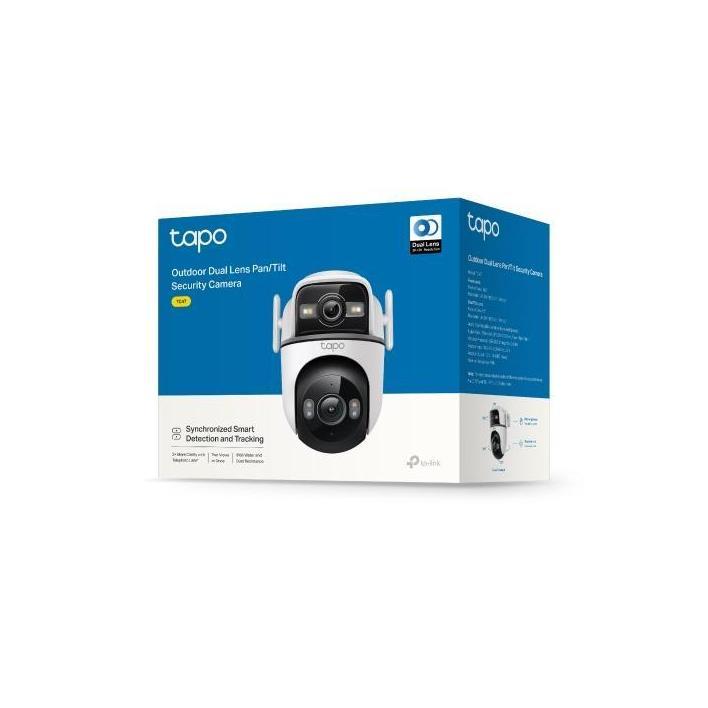
TP-Link TC47 Outdoor Dual-Lens Pan/Tilt Security Camera

Regular price $189.00
Sale price Regular price

TP-Link

TP-Link Tapo C320WS Outdoor Security Wi-Fi Camera 2-Way Audio Night Vision

Regular price
Sale price $98.03 Regular price $109.00

TP-Link

TP-Link TC50 KIT Solar-Powered Floodlight Pan/Tilt Security Camera Kit

Regular price
Sale price $245.71 Regular price $259.00

TP-Link

TP-Link TC93D Solar-Powered Dual-Lens Pan/Tilt Security Camera Kit

Regular price $361.41
Sale price Regular price

TP-Link

TP-Link Tapo C420 4MP Starlight Full-Colour Night Vision IP65 Camera

Regular price
Sale price $166.19 Regular price $179.00

TP-Link

TP-Link Tapo A202 Solar Panel Flexible Installation

Regular price
Sale price $48.70 Regular price $59.00

TP-Link

TP-Link TC60 Home Security Wi-Fi Camera 1080P Full HD Two-Way Audio Alarm

Regular price
Sale price $38.96 Regular price $49.00

TP-Link

TP-Link TC70 Pan/Tilt 1080P Two-Way Audio Night Vision Wi-Fi Camera Sound Light Alarm

Regular price
Sale price $37.83 Regular price $49.00

TP-Link

TP-Link Tapo A200 4.5W Solar Panel with 4M Charging Cable and 360° Mount

Regular price
Sale price $58.27 Regular price $69.00

TP-Link

TP-Link Tapo C211 Pan/Tilt 2K 3MP Home Security Camera 2-Way Audio Night Vision

Regular price
Sale price $58.27 Regular price $69.00

TP-Link

TP-Link Tapo C212 Pan/Tilt Home Security Wi-Fi Camera 2K 2304x1296 360° microSD

Regular price
Sale price $62.82 Regular price $79.00

TP-Link

TP-Link TC65 Outdoor Security Wi-Fi Camera 3MP Night Vision Two-Way Audio

Regular price
Sale price $78.72 Regular price $89.00

TP-Link

TP-Link TC80 Wireless Outdoor Security Camera

Regular price
Sale price $87.81 Regular price $99.00

TP-Link

TP-Link TC41 Outdoor Pan/Tilt Security Wi-Fi Camera 2K Colour Night Vision

Regular price
Sale price $98.03 Regular price $109.00

TP-Link

TP-Link Tapo C232 3K 5MP Pan/Tilt AI Security Camera Ethernet Port

Regular price
Sale price $82.13 Regular price $89.00

TP-Link

TP-Link TC82 Battery-Powered Outdoor Security Camera Colour Night Vision Person Detection

Regular price
Sale price $107.12 Regular price $119.00

TP-Link

TP-Link TC82 KIT Solar-Powered Security Camera Kit with Person Detection

Regular price
Sale price $137.79 Regular price $149.00

TP-Link

TP-Link TC43 Outdoor 3K 5MP Pan/Tilt Security Camera Starlight Night Vision 360°

Regular price
Sale price $146.88 Regular price $179.00

TP-Link

TP-Link TC46 Outdoor Pan/Tilt Security Camera 4K 8MP Starlight Wi-Fi 6

Regular price
Sale price $196.86 Regular price $209.00

Which IP security camera do you actually need?

Most PC builders treat an IP security camera like a webcam on a pole, then wonder why the footage is useless at 2am. The real differences between tiers are sensor size, lens aperture, bitrate and how the camera gets power, not just the megapixel number on the box.

Entry-level cameras, such as Wi-Fi Tapo or Eufy units, usually run a small 1/2.8" or smaller sensor at 2MP to 4MP with a modest f/2.0 lens. In daylight they look fine. At night they lean on infrared or a weak spotlight, and noise reduction smears detail. Wi-Fi also means your footage competes with everything else on 2.4GHz or 5GHz.

The sweet spot is a wired PoE camera, think Reolink RLC series or TP-Link VIGI, with a 4MP to 8MP sensor, H.265 encoding and proper IP67 housing. Power and data share one Ethernet cable, so there is no flaky Wi-Fi and no power adaptor outside. Colour night vision with a fast lens (f/1.6 or better) starts to make a visible difference here.

Enthusiast and prosumer gear, such as Ubiquiti UniFi Protect or Axis, brings larger sensors, true wide dynamic range and better lens glass. That is where licence plates at dusk or backlit driveways stop being a blur. Diminishing returns hit fast, though. Past about 8MP, a bigger sensor and better lens matter more than extra pixels, and you pay for it in storage.

Upgrading and technical nuances

Codec choice is the first trap. H.265 roughly halves bitrate versus H.264 at similar quality, which directly cuts your storage bill. "H.265+" or "Smart codec" modes go further but can soften moving subjects, so test them before rolling out to every camera.

Storage maths is simple and worth doing. A 4MP stream at around 4Mbps writes roughly 43GB a day, and an 8MP stream at 8Mbps is closer to 86GB. Multiply by camera count and retention days. Surveillance-rated drives handle constant writes better than a typical Solid State Drive (SSD), but an SSD with decent endurance, such as the Samsung 990 or WD_BLACK families, works well as a fast cache or for short retention.

If you want to run your own recorder, a spare box from Computers or a small build works nicely with Frigate or Blue Iris. Hardware video decode matters more than raw core count. Intel's Quick Sync on current CPUs & Processors handles many H.265 streams at low power, and a mid-range Graphics Card / GPU only makes sense if you're doing heavy AI object detection. A cheap Motherboard and 16GB of Desktop Memory is plenty for most home setups.

Compatibility matters on the camera side too. Look for ONVIF Profile S or T support so you aren't locked into one brand's app. Some "cloud only" cameras won't talk to third-party recorders at all, and that's a nasty surprise after you've mounted six of them.

Practical things to check before buying

Start with PoE. Cameras are typically 802.3af (15.4W) or 802.3at (30W) if they have heaters, motors or big IR arrays. Check your switch's total power budget, not just per-port ratings. An 8-port PoE switch rated at 60W won't run eight 8W cameras comfortably. Browse Networking for PoE switches and recorders, and check the TP-Link range for VIGI-compatible gear and affordable managed PoE switches.

Cable is where people cut corners. Use solid copper Cat5e or Cat6, not copper-clad aluminium (CCA), which has higher resistance, runs hot under PoE and fails earlier. The Ethernet limit is 100m, and long runs with thin cable drop voltage enough to brown out IR cameras at night. Quality Cables & Connectors and UV-rated outdoor cable are worth the extra spend, because re-running cable through a roof cavity is miserable.

Think about placement and environment. Cameras facing the sun cook, and heat shortens sensor and PSU life. Spiders love IR LEDs, and the glow lights up webs like a Christmas tree. Mount under eaves, angle slightly down, and avoid pointing straight at a street light or a window.

If you're building a recorder, case airflow still matters. A quiet Computer Case with decent Fans, Heatsinks & Cooling keeps 24/7 drives healthy, and a reliable unit from Power Supplies (Seasonic Focus or Corsair RMx are solid examples) beats a bargain unit you're trusting to run continuously. Adding a UPS is smart too, since a power blip mid-recording can corrupt files. For viewing, any basic Monitor will do, but a 1080p or 1440p panel with a decent viewing angle is plenty for a multi-camera grid.

Brands and local warranty

For consumer and small-business gear, Reolink, TP-Link (Tapo and VIGI), Ubiquiti, Eufy and Hikvision are the names you'll see most. Axis and Ubiquiti sit at the premium end, while Reolink and TP-Link VIGI offer the best value-for-features. Hikvision and Dahua are common and cheap, but some Australian government bodies have pulled them from sensitive sites, so check any rules that apply to your workplace.

Local warranty is a bigger deal than it sounds. Cameras live outdoors and fail from moisture, power surges and firmware bugs, so you want a retailer who will honour a claim without shipping a camera overseas. Under Australian Consumer Law, products must be of acceptable quality, and a local supplier is the one on the hook. Grey imports often lack proper firmware support, use the wrong power plug, and can leave you chasing a seller in another country.

Frequently asked questions

Is Wi-Fi or PoE better for an IP security camera?

PoE, almost every time. A single cable carries power and data, there's no signal dropout, and recording stays reliable. Wi-Fi cameras are fine for a front door or a rental where drilling isn't allowed.

How many megapixels do I really need?

For most homes, 4MP is the sweet spot. 8MP helps if you want to zoom into detail across a wide yard, but it doubles storage and needs a better lens and sensor to actually benefit.

Do I need a dedicated recorder or can I use a PC?

Either works. A dedicated NVR is simpler and quieter. A PC running Frigate or Blue Iris gives more flexibility and smarter detection, but needs a stable machine that stays on 24/7.

Will my cameras work with any recorder?

Only if they support ONVIF, and even then features like motion events can vary. Sticking with one ecosystem, such as UniFi or VIGI, avoids most headaches.

How much storage should I plan for?

Work out the daily bitrate per camera, multiply by retention days, then add 20 percent headroom. As a rough guide, four 4MP cameras at 30 days needs around 5 to 6TB.