Skip to content
Cart

Collection: DDR5 Desktop RAM

Shop ddr5 desktop ram in stock now at TechLoop, with fast Australia-wide delivery.

Compare (0/5)

98 products

CORSAIR

Corsair Vengeance RGB 64GB (2 x 32GB) 288-Pin PC RAM DDR5 6000 (PC5 48000)

Regular price
Sale price $1,572.99 Regular price $1,599.00

CORSAIR

Corsair Vengeance RGB 32GB DDR5 6000MT/s CL38 Memory Kit Grey

Regular price $899.00
Sale price Regular price

CORSAIR

Corsair Vengeance 64GB DDR5 4800MT/s CL40 Memory Kit Black

Regular price
Sale price $1,488.99 Regular price $1,699.00

CORSAIR

Corsair Vengeance RGB 16GB DDR5 5200MT/s CL40 Memory Kit Black

Regular price
Sale price $431.85 Regular price $599.00

Lexar

Lexar LD5U08G56C46ST DDR5 8GB 5600 MT/s UDIMM CL46

Regular price
Sale price $184.99 Regular price $199.00

CORSAIR

Corsair Vengeance RGB 16GB 2x8GB DDR5 5200 CL40 1.25V XMP EXPO Grey Memory

Regular price
Sale price $431.85 Regular price $499.00

Lexar

Lexar LD5DU016G-B4800GSST 16GB DDR5 4800 MT/s UDIMM CL40

Regular price
Sale price $322.79 Regular price $399.00

Lexar

Lexar LD5U08G60C380V-RGS DDR5 8GB 6000 MT/s CL38 Black

Regular price
Sale price $198.99 Regular price $399.00

Lexar

Lexar LD5U16G72C38BV-RGD DDR5 32GB Kit 7200 MT/s CL38 RGB

Regular price $999.00
Sale price Regular price

Lexar

Lexar LD5U16G56C46ST-HGN DDR5 UDIMM 16GB 5600 MT/s 1.1V CL46 Bulk 50pcs

Regular price
Sale price $358.99 Regular price $399.00

Lexar

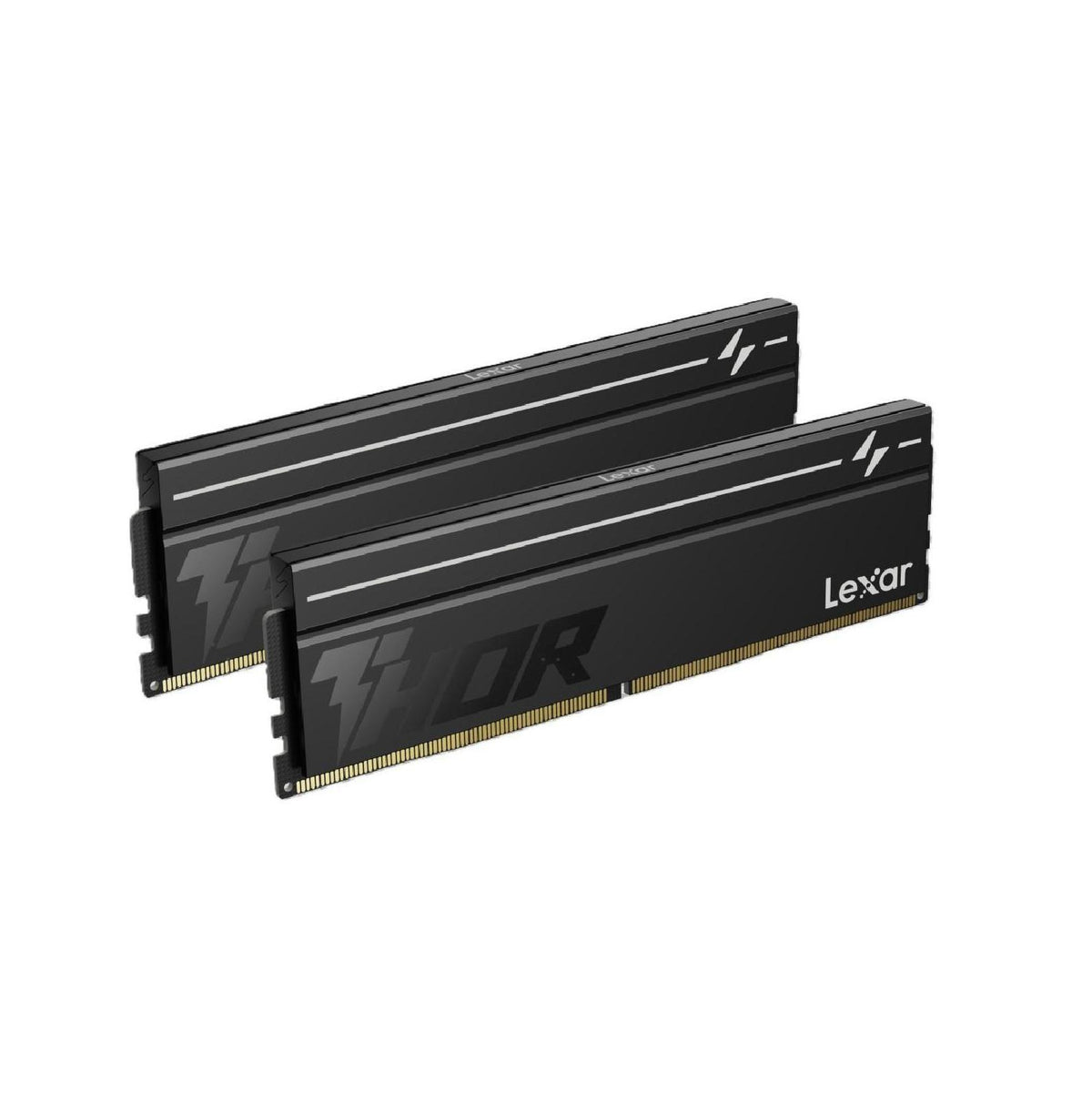
Lexar LD5U16G60C380V-RGD DDR5 32GB 2x16GB 6000 MT/s CL38 THOR G2 Black

Regular price
Sale price $731.75 Regular price $799.00

Lexar

Lexar LD5U08G60C380V-RGD DDR5 16GB Kit 6000 MT/s CL38 THOR G2 OC Black

Regular price
Sale price $358.99 Regular price $419.00

G.Skill

G.SKILL F5-6000J3636F16GX2-TZ5S 32GB 2x16GB DDR5 6000 MT/s 36-36-36-96 TZ5

Regular price
Sale price $950.99 Regular price $999.00

Lexar

Lexar LD5U16G56C46ST-BGS DDR5 UDIMM 16 GB 5600 MT/s 1.1V CL46 - Blister

Regular price
Sale price $345.51 Regular price $399.00

G.Skill

G.SKILL F5-8000J4048G24GX2-TZ5N 48GB DDR5 8000 MT/s Timings 40-48-48-128 Voltage 1.4V EXPO

Regular price
Sale price $1,625.06 Regular price $1,662.01

Lexar

Lexar LD5U16G60C38BV-RGD DDR5 32GB Kit (2 x 16GB) 6000 MT/s RGB BLACK

Regular price
Sale price $743.11 Regular price $799.00

G.Skill

G.SKILL F5-6000A3038F 32GB DDR5 6000 MT/s TZ5 Neo X RGB AMD EXPO

Regular price
Sale price $1,152.06 Regular price $1,199.00

G.Skill

G.SKILL F5-6000A3038F 32GB DDR5 6000 MT/s TZ5 Neo X RGB AMD EXPO

Regular price
Sale price $1,248.79 Regular price $1,299.00

G.Skill

G.SKILL F5-6000J3636F32GX2-TZ5NR 64GB DDR5 6000 MT/s XMP 3.0

Regular price
Sale price $2,043.99 Regular price $2,099.00

Lexar

Lexar LD5U16G60C38SV-RGD DDR5 32GB Kit 6000 MT/s CL38 THOR RGB SILVER

Regular price $999.00
Sale price Regular price

Which DDR5 desktop RAM do you actually need?

Most PC builders get tripped up by the big speed number on the box, when the real question is how fast the memory controller on your CPU can actually use it. Entry kits run at 5600 MT/s, often with loose timings like CL46. They work fine for office use, browsing and light gaming, but the latency is high. You can work it out with 2000 x CL / MT/s. A 5600 CL46 kit lands around 16.4 ns, while a 6000 CL30 kit sits at 10 ns. That gap shows up in games and in anything that hammers small, scattered memory requests.

The sweet spot for most people is a 32GB (2 x 16GB) kit at 6000 MT/s with CL30 to CL36, with EXPO for AMD or XMP for Intel. On AM5, this is roughly where the memory controller and Infinity Fabric can still run in a synchronised 1:1 relationship, so you get low latency without instability. Enthusiast kits at 7200 to 8400 MT/s and beyond use heavily binned ICs and better PCBs. They have more bandwidth, but AM5 usually has to drop into a 2:1 mode to run them, which adds latency and cancels most of the gain. Intel Core Ultra on LGA1851 handles higher speeds more gracefully, so there the premium can pay off for bandwidth-hungry work. Past 6400 MT/s on either platform, you're paying a lot for a few percent.

Capacity matters more than speed once you run out. 16GB is tight today, 32GB is the comfortable baseline, and 64GB makes sense for video editing, virtual machines, heavy streaming or large project files.

Upgrading and technical nuances

DDR5 isn't just faster DDR4. Each module is split into two independent 32-bit subchannels, and power management (the PMIC) lives on the module instead of the motherboard. That's why DDR5 kits cost more and why cheap, poorly built modules can be flaky. Voltage regulation is also part of why the better kits stay stable when you tighten timings.

Rank and module count change what your board can handle. Two DIMMs is the ideal. Four DIMMs doubles the electrical load on the memory controller, and most platforms will drop to lower speeds to stay stable. If you want 64GB, buy 2 x 32GB, not 4 x 16GB. If you want even more capacity without the four-stick penalty, 2 x 48GB kits are now common and sit nicely on current boards.

Platform differences matter too. AM5 chips respond best to EXPO kits around 6000 CL30. Intel Core Ultra boards generally accept XMP profiles, and some support newer CUDIMM modules that include a clock driver for better high-speed stability. Check your motherboard QVL (qualified vendor list) before committing, particularly with higher speeds. A solid mainstream board like an ASUS TUF, MSI Tomahawk or Gigabyte AORUS will handle a good 6000 to 6400 kit without fuss.

For product families, look at Corsair Vengeance, Kingston Fury Beast and G.Skill Ripjaws S5 as the mainstream sweet-spot lines. For the premium end, Corsair Dominator Titanium, G.Skill Trident Z5 and Kingston Fury Renegade offer tighter binning and better heat spreading. You can browse the full range in our Desktop Memory collection.

Your CPU choice also decides how much RAM tuning helps. A mid-range chip paired with a fast graphics card usually gains more from a good 6000 CL30 kit than from jumping to a pricier tier.

Practical things to check before buying

Start with physical clearance. Heatsink height varies a lot. Low-profile kits like Ripjaws S5 or Fury Beast sit at roughly 33 to 35 mm, while RGB flagship kits can push past 50 mm. Large air coolers such as the Thermalright Peerless Assassin usually offset the front fan to leave room for taller modules, but always check the cooler's stated RAM clearance. If you're running a big tower cooler from our CPU Cooling range, a low-profile kit saves headaches.

Next, check airflow. DDR5 modules run warmer than DDR4 because of the on-module PMIC, and high-speed kits with raised voltage get properly hot under sustained load. A case with decent front intake, or an extra fan from Fans, Heatsinks & Cooling, helps keep memory temperatures reasonable, especially for tightly packed ITX builds.

A few more gotchas:

Make sure the board supports DDR5. DDR4 and DDR5 are not interchangeable, and the notches are different.

Buy matched kits rather than mixing sticks. Two separate 16GB modules, even from the same brand, may not be validated together.

Update your BIOS before installing. Early firmware can be fussy with newer kits, and the first boot after enabling EXPO or XMP can take a few minutes while the board trains the memory. Don't panic and power off during that.

RGB sync software is optional but can add background processes. If you want a clean setup, choose a non-RGB kit.

Also think about the whole build. If you're stretching the budget, put money into a good power supply and a fast SSD before chasing the last 5 percent of RAM speed. If you'd rather skip the guesswork, our pre-built Computers are validated as a package.

Brands and local warranty

Reputable names include Corsair, Kingston, G.Skill, Crucial, TeamGroup, Patriot and Lexar. Most offer a limited lifetime warranty on desktop memory, but the real question is how easy it is to claim. With genuine Australian stock, you can deal with local support, and under Australian Consumer Law you also have rights through the retailer when a product has a major fault. Grey-import kits often mean shipping overseas and waiting weeks, or being refused outright.

RAM failures can be intermittent and nasty, causing random crashes, corrupt files or failed boots, so it's worth having a straightforward replacement path. Keep your invoice, and run a memory test like MemTest86 when you first build.

Frequently asked questions

Is 32GB of DDR5 enough today?

Yes, for the vast majority of gaming, work and general use. 32GB gives you headroom for modern games, a browser full of tabs and background apps. Go to 64GB if you edit high-resolution video, run virtual machines or work with huge datasets.

Is DDR5-6000 CL30 worth it over DDR5-5600?

Usually, yes. The latency drop is noticeable in CPU-limited games, and the price premium is typically small. It's the most common recommendation for AM5 and works well on Intel too.

Can I mix different DDR5 kits?

You can, but it's a gamble. Different ICs and timings force the board to run at the slowest common settings, and stability can suffer. Buy the capacity you want in one kit.

Will DDR5 work in my old motherboard?

No. DDR5 needs a compatible board, such as AM5 or LGA1851. Moving from DDR4 means replacing the board and CPU as well.

Do I need RGB or heat spreaders?

Heat spreaders help with stability and handling, but RGB is purely cosmetic. If you're short on cooler clearance, a low-profile non-RGB kit is the smarter pick.