Skip to content
Cart

Collection: KVM Switches

Compare (0/5)

79 products

Kensington

Kensington CH1000 USB-C 4-Port Hub USB 3.2 Gen 1

Regular price $77.00
Sale price Regular price

StarTech.com

StarTech.com Video Extender Transmitter/Receiver - Wired - TAA Compliant - 1

Regular price
Sale price $394.19 Regular price $504.89

HP

HP Poly Studio E60 Power Accessory

Regular price $36.00
Sale price Regular price

Aten

Aten Rackmount Single Rail LCD Console VGA PS/2-USB 17" Display

Regular price $1,141.00
Sale price Regular price

Aten

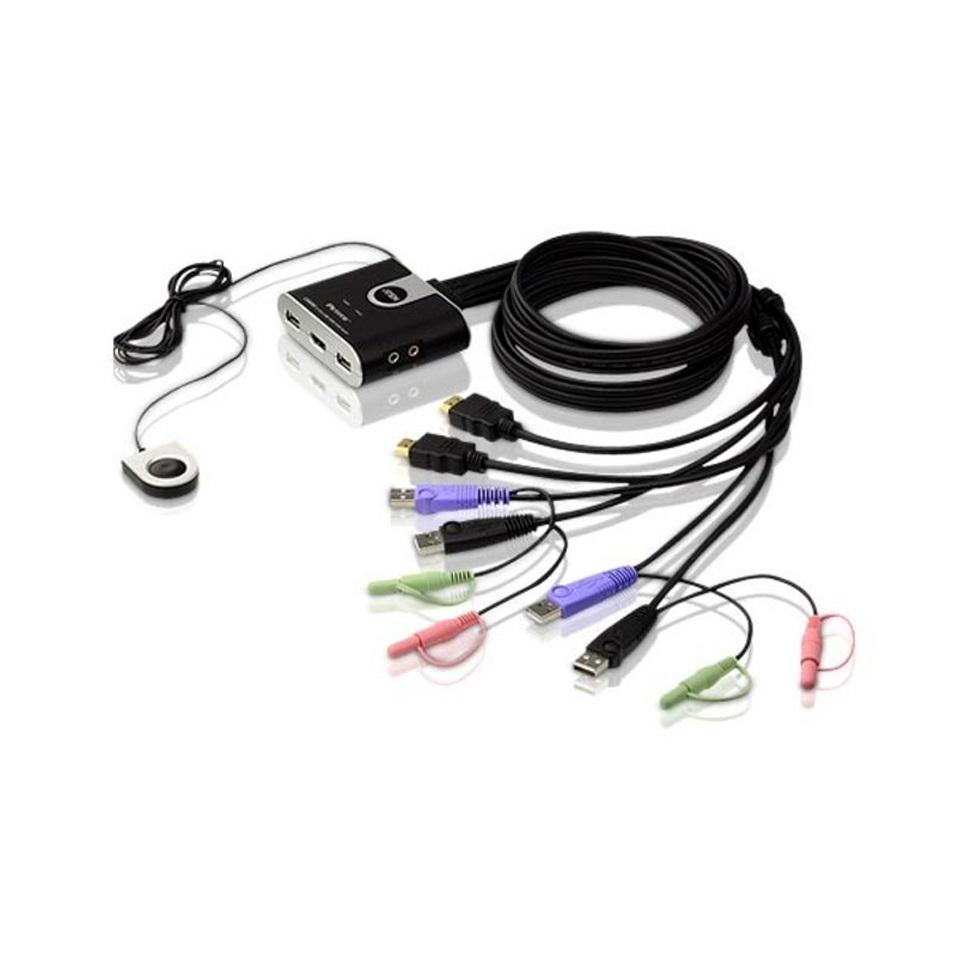
Aten Compact KVM Switch 2 Port Single Display HDMI with Audio Remote Selector

Regular price
Sale price $90.08 Regular price $96.00

StarTech.com

StarTech.com 70m 4K 30Hz HDMI Over Cat6 Extender Kit

Regular price $288.00
Sale price Regular price

Aten

Aten Rackmount KVM Switch 8 Port VGA PS/2-USB

Regular price $427.00
Sale price Regular price

StarTech.com

StarTech.com SV1631DUSB 16-Port Rackmount USB KVM Switch with OSD

Regular price
Sale price $1,574.90 Regular price $1,686.29

StarTech.com

StarTech.com 2 Port USB DP KVM Switch with Audio WQUXGA 3840x2400 Desktop

Regular price $619.00
Sale price Regular price

StarTech.com

StarTech.com SV431DHD4KU 4-Port HDMI KVM Switch 4K 30Hz with Audio & USB Hub

Regular price $1,525.00
Sale price Regular price

StarTech.com

StarTech.com 16 Port Rackmount KVM Switch 17" LCD Monitor USB VGA

Regular price $3,555.00
Sale price Regular price

StarTech.com

StarTech.com KVM Switchbox 2 Comp 1 User 4K 3840x2160 4 USB DP Desktop

Regular price $323.00
Sale price Regular price

StarTech.com

StarTech.com KVM Switchbox 8 Comp 1 User 2 USB 9 VGA 1U Rackmountable

Regular price $1,023.00
Sale price Regular price

StarTech.com

StarTech.com SV211KUSB KVM Switchbox 2 Comp VGA 2048x1536

Regular price $79.00
Sale price Regular price

StarTech.com

StarTech USB 3.0 to HDMI Adapter 1080p 60Hz USB to VGA Monitor Converter

Regular price $191.00
Sale price Regular price

StarTech.com

StarTech.com 4K HDMI Over IP Extender 30Hz Video Control App Included

Regular price $1,548.00
Sale price Regular price

StarTech.com

StarTech.com Video Extender Receiver Wired 100m Range 4K HDMI Over Cat6

Regular price $949.00
Sale price Regular price

Aten

Aten Video Splitter 4 Port HDMI 4K Splitter HDCP 1.4 4096x2160 60Hz 4:4:4

Regular price
Sale price $113.94 Regular price $123.00

Aten

Aten 2-Port 4K DisplayPort USB-C Cable KVM Switch with Remote Port Selector

Regular price $113.00
Sale price Regular price

Which KVM switch do you actually need?

Most PC builders think of a KVM switch as a simple box that shares a keyboard, mouse and monitor, but what's inside changes a lot between price tiers. Entry-level units (think basic UGREEN, Vention or Cable Matters boxes) are usually passive-style switchers with a small video chip, a USB 2.0 hub for the keyboard and mouse, and a button on the front. They handle 1080p or 4K at 60Hz fine, but they often skimp on EDID emulation. That means your PC thinks the monitor was unplugged whenever you switch away, and your windows get shuffled around.

Sweet-spot units (TESmart, ATEN CS series, StarTech SV series) add proper EDID and HDCP handling, hotkey switching, and better shielding on the video lines. Many also add a dedicated USB 3.x peripheral hub. This is where most people should land.

Enthusiast and pro units (higher-end ATEN, Belkin secure models, Level1Techs-style designs) focus on bandwidth. HDMI 2.1 at 48Gbps or DisplayPort 1.4 with Display Stream Compression is what lets 4K at 144Hz or 1440p at 240Hz pass through cleanly. Diminishing returns hit fast. If you're on a 4K60 productivity monitor, paying for a 48Gbps switch gets you nothing. If you're running a high-refresh gaming panel, a cheap 4K60 box will quietly cap you at 60Hz, and you'll wonder why your Monitors setting won't offer anything higher.

Upgrading and technical nuances

The spec that matters most is video bandwidth, and the box often hides it. "4K support" usually means 4K at 30 or 60Hz. For modern high-refresh panels you want a switch that explicitly lists 4K120 or 4K144, and ideally says whether it needs DSC or passes uncompressed signal. DisplayPort 1.4 can only carry 4K144 with DSC, and not every KVM passes DSC correctly. Some will black-screen or fall back to lower refresh rates. Check reviews for your exact monitor and Graphics Cards / GPU combination, because current-gen cards from both NVIDIA and AMD are fussy about handshakes through middlemen.

EDID emulation is the second big one. A good switch stores the monitor's identity and presents it to every connected PC at all times. Without it, a dual-PC setup with a gaming rig and a work machine becomes a headache of resolution resets. Multi-monitor setups need either a dual-head switch (TESmart and ATEN both make them) or a single-head unit per screen. Keep in mind that most dual-monitor KVMs mirror or extend through two separate video channels, and cheap ones can have noticeable sync drift between them.

USB is the sneaky part. Most KVMs share one or two USB 2.0 ports for keyboard and mouse, and that's fine. A 1000Hz gaming mouse or a USB DAC can be flaky through a shared hub, so look for a model with a dedicated high-speed peripheral port or USB 3.x sharing. USB-C KVMs are increasingly common for laptops, but check that the USB-C port supports DisplayPort Alt Mode and how much power delivery it offers. A switch that passes video but only trickles 15W will leave a Laptops & Notebooks machine slowly draining. For desktop use, make sure the switch plays nicely with your Motherboards USB controller, as some boards are fussy when waking from sleep through a KVM.

Practical things to check before buying

Start with cables. A KVM switch usually needs a set of short, high-quality cables per PC, and many cheaper kits include flimsy ones. For 4K high-refresh signal, a certified Ultra High Speed HDMI cable or a VESA-certified DisplayPort cable makes a real difference, and long runs past two metres can cause sparkles or dropouts. Sort that out up front with decent Cables & Connectors so you're not blaming the switch for a bad lead.

Check the port layout and physical size. Some KVMs have all ports on the back, which is tidy but awkward on a crowded desk. Others have front-mounted switching buttons. If you plan to bolt it under the desk or inside a rack, check mounting ears or adhesive options. Heat matters, too. Metal-case units (typical for ATEN and TESmart) dissipate heat better than plastic ones, which matters for always-on setups. Also check the power supply. Many KVMs use a small DC adapter, and a few pull power from USB. The latter can be unstable with some PCs when they're off.

Compatibility gotchas are common. HDCP can block some content if the switch only handles an older version. Macs with certain DisplayPort or Thunderbolt configurations can fail EDID handshakes. And a few switches don't pass through wake-from-sleep keyboard signals reliably, which is annoying if you rely on it. If you're mixing a desktop from Computers with a work laptop, test both before the return window closes. For remote or networked control, IP-based KVMs are a different category, and you'll want solid Networking gear underneath them.

Brands and local warranty

ATEN is the long-standing name in KVM, with a huge range from home-office to data centre gear. TESmart is popular with enthusiasts for HDMI and DisplayPort units with hotkeys and RS232 or LAN control. StarTech and Belkin cover the business and secure end of things, and IOGEAR, UGREEN and Cable Matters fill the budget and mid-range. Level1Techs has built a following with high-bandwidth designs aimed at gaming and workstation users.

Warranty matters more than people think. KVMs are fiddly, firmware-dependent devices, and a unit that develops a handshake fault at month eight is hard to diagnose without support. Buying through an Australian retailer with genuine local warranty means you deal with a local RMA instead of shipping a box overseas and waiting weeks. Under Australian Consumer Law you also get guarantees that a grey import from a marketplace seller won't reliably honour.

Frequently asked questions

Will a KVM switch reduce my monitor's refresh rate?

It can. Cheap units are often limited to 4K60 or 1080p144, and if the box can't carry the bandwidth, your PC will only offer lower modes. Match the switch's stated resolution and refresh rate to your monitor and GPU.

Do I need HDMI 2.1 or is DisplayPort better?

It depends on your monitor and graphics card. DisplayPort is common on gaming monitors and handles high refresh well, while HDMI 2.1 is better for TVs and consoles. Pick the switch that matches the port you'll actually use.

Can I share USB devices like a webcam or headset through a KVM?

Usually yes, but only if the switch has a proper USB 3.x or dedicated peripheral hub. Basic units share USB 2.0 for keyboard and mouse only, and demanding devices can drop out.

Will a KVM work with a laptop and a desktop together?

Yes, if it supports your laptop's video output. USB-C laptops need a switch with DisplayPort Alt Mode, and you should check whether it provides enough power delivery to keep the laptop charged.

Is a KVM switch worth it over just swapping cables?

If you switch machines daily, absolutely. A decent unit saves wear on ports, keeps your desk tidy, and makes sharing a good monitor and keyboard painless, as long as you buy for the bandwidth you actually need.