Skip to content

Collection: Lexar

Lexar does fast, reliable storage for cameras, consoles and PCs without the premium branding tax. Filling a camera, expanding a handheld, or after a quick NVMe drive? It's here. Shop Lexar microSD and SD cards, NVMe and SATA SSDs and USB drives. Not sure what speed class your device needs? Tell us and we'll match it. Genuine stock, local warranty, and fast dispatch from a warehouse near you.

Compare (0/5)

53 products

Lexar LD5U16G60C360V-RGS DDR5 16GB 6000 MT/s CL36 Black

Lexar

Lexar LD5U16G60C360V-RGS DDR5 16GB 6000 MT/s CL36 Black

Regular price
Sale price $345.51 Regular price $499.00
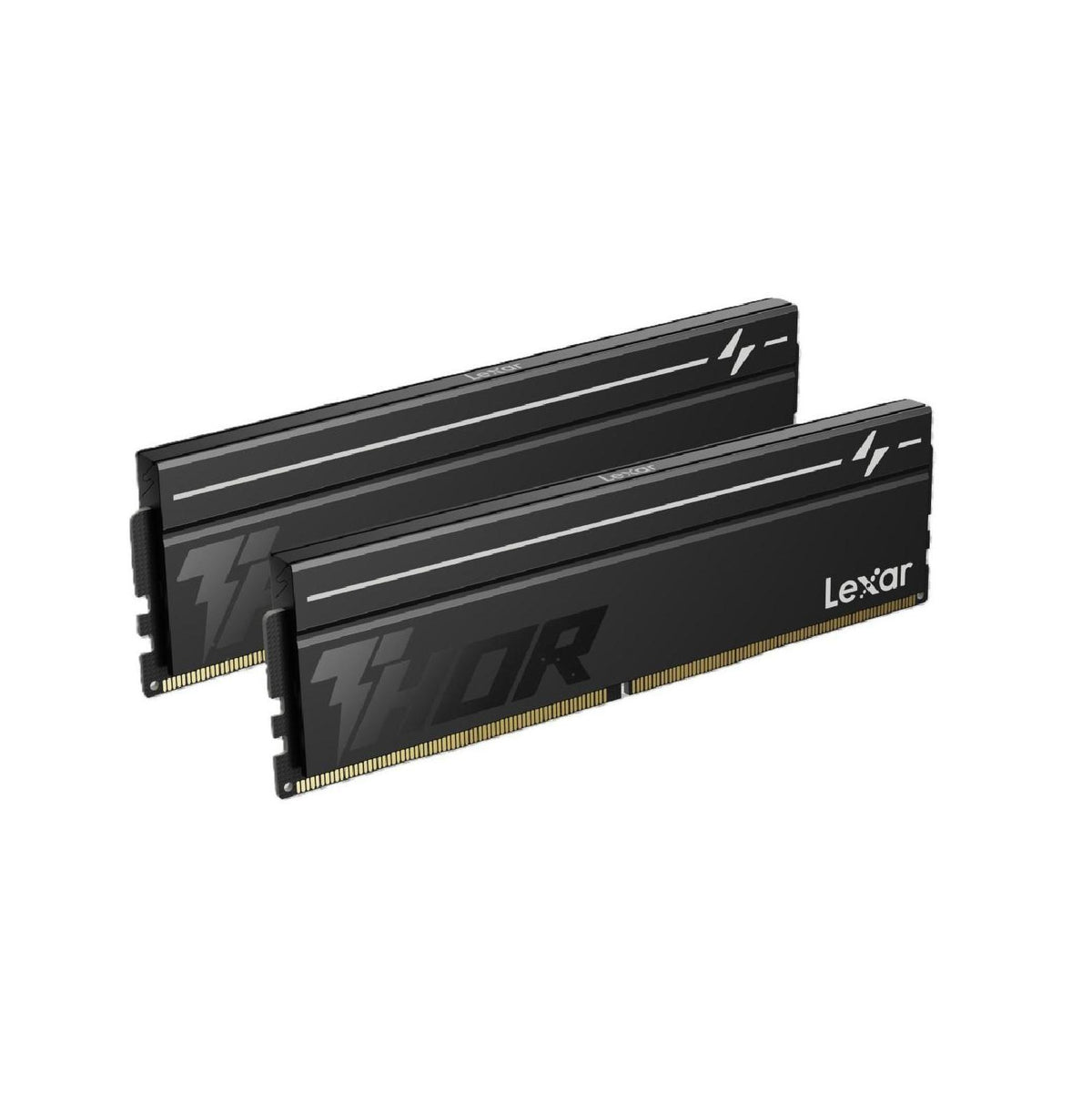
Lexar LD5U08G60C380V-RGD DDR5 16GB Kit 6000 MT/s CL38 THOR G2 OC Black

Lexar

Lexar LD5U08G60C380V-RGD DDR5 16GB Kit 6000 MT/s CL38 THOR G2 OC Black

Regular price
Sale price $358.99 Regular price $419.00
Lexar PLAY X 512GB PCIe 4.0 NVMe SSD up to 7200MB/s Read

Lexar

Lexar PLAY X 512GB PCIe 4.0 NVMe SSD up to 7200MB/s Read

Regular price
Sale price $178.99 Regular price $259.00
Lexar LNM990X004T-RNNNG Internal SSD 4TB PCIe G5x4 M.2 2280 up to 14000MB/s r...

Lexar

Lexar LNM990X004T-RNNNG 4TB NVMe SSD M.2 2280 PCIe G5x4 14000MB/s Read

Regular price
Sale price $924.87 Regular price $999.00
Lexar LNM790X 1TB M.2 2280 PCIe Gen4x4 NVMe SSD 7400MB/s Read 6500MB/s Write

Lexar

Lexar LNM790X 1TB M.2 2280 PCIe Gen4x4 NVMe SSD 7400MB/s Read 6500MB/s Write

Regular price
Sale price $334.15 Regular price $399.00
Lexar LNM620X 512GB M.2 2280 PCIe Gen3x4 SSD 3500MB/s Read 2400MB/s Write

Lexar

Lexar LNM620X 512GB M.2 2280 PCIe Gen3x4 SSD 3500MB/s Read 2400MB/s Write

Regular price
Sale price $168.99 Regular price $199.00
Lexar LNM620X 1TB M.2 2280 PCIe Gen3x4 SSD 3500MB/s Read

Lexar

Lexar LNM620X 1TB M.2 2280 PCIe Gen3x4 SSD 3500MB/s Read

Regular price
Sale price $244.99 Regular price $299.00
Lexar LNS100 256GB 2.5" SATA III 550MB/s Read 440MB/s Write

Lexar

Lexar LNS100 256GB 2.5" SATA III 550MB/s Read 440MB/s Write

Regular price
Sale price $74.18 Regular price $109.00
Lexar LNM790X512G-RNNNG Internal SSD 512GB M.2 2280 PCIe Gen 4x4 NVMe SSD up ...

Lexar

Lexar LNM790X512G-RNNNG 512GB NVMe SSD M.2 2280 PCIe Gen 4x4 7400MB/s Read

Regular price
Sale price $180.96 Regular price $199.00
Lexar PLAY X 1TB PCIe 4.0 NVMe SSD up to 7400MB/s read

Lexar

Lexar PLAY X 1TB PCIe 4.0 NVMe SSD up to 7400MB/s read

Regular price
Sale price $294.99 Regular price $399.00
Lexar LNS100 1TB 2.5" SATA III 550MB/s Read 500MB/s Write

Lexar

Lexar LNS100 1TB 2.5" SATA III 550MB/s Read 500MB/s Write

Regular price
Sale price $215.04 Regular price $299.00
Lexar 64GB microSDHC/microSDXC UHS-I Card C10 U3 100MB/s Read

Lexar

Lexar 64GB microSDHC/microSDXC UHS-I Card C10 U3 100MB/s Read

Regular price $29.00
Sale price Regular price
Lexar LD5S 8GB DDR5 5600 MT/s SO-DIMM CL46 Blisters

Lexar

Lexar LD5S 8GB DDR5 5600 MT/s SO-DIMM CL46 Blisters

Regular price
Sale price $192.32 Regular price $269.00
Lexar LD5U08G56C46ST DDR5 8GB 5600 MT/s UDIMM CL46

Lexar

Lexar LD5U08G56C46ST DDR5 8GB 5600 MT/s UDIMM CL46

Regular price
Sale price $184.99 Regular price $199.00
Lexar LNQ780X512G-RNNNG Internal SSD 512GB M.2 2280 PCIe Gen 4x4 NVMe SSD up ...

Lexar

Lexar LNQ780X512G-RNNNG 512GB NVMe SSD M.2 2280 PCIe Gen 4x4 5000MB/s Read

Regular price
Sale price $188.99 Regular price $199.00
Lexar LD5DS016G-B4800GSST 16GB DDR5 SO-DIMM 4800 MT/s

Lexar

Lexar LD5DS016G-B4800GSST 16GB DDR5 SO-DIMM 4800 MT/s

Regular price
Sale price $334.15 Regular price $349.00
Lexar LD5DU016G-B4800GSST 16GB DDR5 4800 MT/s UDIMM CL40

Lexar

Lexar LD5DU016G-B4800GSST 16GB DDR5 4800 MT/s UDIMM CL40

Regular price
Sale price $322.79 Regular price $399.00
Lexar LNM990X001T-RNNNG 1TB NVMe M.2 2280 PCIe Gen4x4 SSD up to 14000MB/s read

Lexar

Lexar LNM990X001T-RNNNG 1TB NVMe M.2 2280 PCIe Gen4x4 SSD up to 14000MB/s read

Regular price $319.57
Sale price Regular price
Lexar LNQ780X001T-RNNNG Internal SSD 1TB M.2 2280 PCIe Gen 4x4 NVMe SSD up to...

Lexar

Lexar LNQ780X001T-RNNNG 1TB NVMe SSD M.2 2280 PCIe Gen 4x4 6000MB/s Read

Regular price
Sale price $260.48 Regular price $289.00
Lexar LNMPLAY001T-RNNNG Internal SSD 1TB M.2 2230 PCIe Gen4x4 NVMe SSD

Lexar

Lexar LNMPLAY001T-RNNNG Internal SSD 1TB M.2 2230 PCIe Gen4x4 NVMe SSD

Regular price
Sale price $271.84 Regular price $299.00

Which Lexar product do you actually need?

Most PC builders land on Lexar for one of three things: NVMe SSDs, DDR5 memory, or flash storage like microSD cards and USB drives. The tiers inside each are worth understanding, because the price gaps reflect real engineering differences. On the SSD side, entry drives like the NM620 or NM710 are PCIe 3.0 or lower-end PCIe 4.0 designs. They are fine for boot drives and general use, but sustained write speeds drop once the pseudo-SLC cache fills. The sweet spot is the NM790 and NM800 Pro class. These are PCIe 4.0 drives that reach roughly 7,000 MB/s sequentially, use fast modern NAND, and run cool enough to stay out of thermal throttling in a ventilated case. Many NM790-class drives are DRAM-less and lean on Host Memory Buffer, which uses a slice of system RAM for mapping tables. That works well for gaming and general use, but heavy sustained mixed workloads favour drives with onboard DRAM.

Enthusiast PCIe 5.0 drives like the NM1090 Pro class double the headline bandwidth, but diminishing returns hit hard. Game loading and everyday responsiveness are limited by CPU decompression and random I/O latency, not sequential throughput. PCIe 5.0 controllers also run hotter and need proper heatsinks. Unless you do large video scrubbing, scratch disks or heavy file transfers, PCIe 4.0 is the better value. Browse the Solid State Drives (SSD) range to compare capacities.

For memory, Lexar's Thor line is the no-frills option and Ares adds RGB and tighter binning. Under the heat spreader it's the same story: the real differences are the DRAM ICs, XMP or EXPO timings, and how well the kit holds them. The Desktop Memory collection shows what's currently available.

Upgrading and technical nuances

Check what your board supports before buying an NVMe drive. Most current Motherboards on AM5 and LGA1851 have a PCIe 5.0 M.2 slot from the CPU lanes, plus extra PCIe 4.0 slots from the chipset. A PCIe 4.0 drive in any of these runs at full speed. Chipset-attached slots share a link back to the CPU, so if you're running two busy drives, put the faster one on the CPU-direct slot.

If you're upgrading an older system, PCIe 4.0 drives are backwards compatible with PCIe 3.0 slots but will cap near 3,500 MB/s. That's still a huge jump over SATA, and the NM790 stays a sensible buy there, but it's worth knowing what you're paying for.

On memory, DDR5 kits come as two-DIMM kits for most builds. Two DIMMs per channel (four sticks) puts extra strain on the memory controller, and speeds often need to drop to remain stable. For a gaming build, a 32GB kit (2x16GB) of DDR5-6000 CL30 to CL36 is the sweet spot on AM5. Intel Core Ultra platforms handle higher speeds well, but gains beyond that are small in games. Timings matter as much as frequency, since latency in nanoseconds is what the CPU feels. A DDR5-8000 kit with loose timings won't always beat a tight DDR5-6000 kit on AM5, because the memory controller clock ratio changes at higher speeds.

For benchmarking against Lexar, look at Samsung 990, Crucial T500 and WD_BLACK SN850X on the SSD side. For memory, compare with Corsair Vengeance, Kingston Fury and G.Skill Ripjaws. Lexar usually undercuts those on price, though you may give up some software tools and extended support.

Practical things to check before buying

For M.2 drives, check your board's slot length. Most are 2280, but some prebuilts and laptops use 2230 or 2242. Also check whether your board has a pre-fitted heatsink. Many do, but they need to be removed for installation and the thermal pad peeled off. If you choose a Lexar drive with its own heatsink, check the clearance. A thick heatsink can foul the underside of a long GPU in some layouts, and it will not fit under many motherboard heatsinks at all. A bare drive plus the board's heatsink is usually the cleaner option. If you're on a Graphics Cards / GPU with a thick triple-slot cooler, double check which M.2 slots are blocked.

Thermals matter for NVMe. Controllers typically throttle somewhere around 70 to 80 degrees, and a hot top slot under a GPU with no airflow can reach that during long copies. A Computer Cases option with a front intake fan, or one from Fans, Heatsinks & Cooling, keeps temps sensible. If you run an all-in-one liquid cooler like an Arctic Liquid Freezer, remember the VRM and M.2 area loses the airflow a tower air cooler such as the Thermalright Peerless Assassin would provide, so add a small fan if needed.

For RAM, tall RGB modules can clash with large air coolers. Ares sticks are moderate in height, but check the clearance on your cooler's first fan position. Low-profile Thor-style kits are safer. Lastly, make sure your Power Supplies are healthy. SSDs don't draw much, but a stable ATX 3.x unit from Seasonic Focus or Corsair RMx lines protects your whole build against brownouts that can corrupt data.

For microSD and SD cards, check the speed class. A V30 or A2 rating matters for 4K video and handheld consoles, and random I/O rating (A1 or A2) matters far more than sequential speed for app launches. USB flash drives and portable SSDs should be matched to the port. Plugging a USB 3.2 Gen 2 drive into a USB 2.0 header kills its speed, so use a proper port and quality Cables & Connectors.

Brands and local warranty

Lexar is a long-established flash brand, and sits in the same conversation as Samsung, Crucial, WD, Kingston and Corsair. The main thing is to buy through an Australian retailer that supports local warranty. Grey imports and marketplace stock can leave you posting a failed drive overseas, which is miserable when the drive holds your data. Under Australian Consumer Law you have rights against the seller for faulty goods, and a local warranty path makes the process quicker. Keep your invoice and note the drive's serial number. Also back up anything important, since warranty replaces hardware, not your files.

Frequently asked questions

Is a Lexar NVMe drive good enough for gaming?

Yes. A PCIe 4.0 drive like the NM790 or NM800 Pro loads games in nearly the same time as drives costing more. Differences show up mainly in heavy sustained writes, not in game loading.

Do I need a heatsink on a Lexar SSD?

For PCIe 4.0 drives, the motherboard's M.2 heatsink is usually enough. PCIe 5.0 drives need one, and a console like the PS5 requires a heatsink that meets its size limits.

How much capacity should I buy?

Aim for 1TB as a minimum and 2TB if you play modern AAA games. Large installs now fill 1TB quickly, and drives also slow slightly when nearly full because there's less room for the SLC cache.

Will Lexar RAM work on my AM5 or Intel board?

Generally yes, as long as it's DDR5 and you enable XMP or EXPO in the BIOS. Check your motherboard's memory support list and update the BIOS if you want higher speeds.

Can I mix Lexar RAM with other kits?

It's possible but not ideal. Different ICs and timings force everything to the slowest settings and can cause instability. Buy one matched kit for the capacity you need.

If you're building a full system from scratch, have a look at the pre-configured Computers range too.